🚀 Friend-Send
https://friend-send.com> X posters
> Facebook cruisers
> Reddit snoops
// THE CHALLENGE
You’re a busy professional on your computer all day. You find something worth sharing—a text snippet or a web image—but the friction of opening the Messages app, finding the contact, and pasting is a productivity killer.

// THE FIX
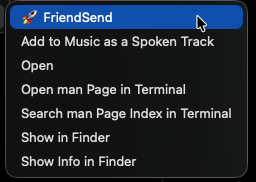
A native macOS utility that lets you right-click text or use a global hotkey for images. No browser extension. No bloated app. Just speed.
Use Cases
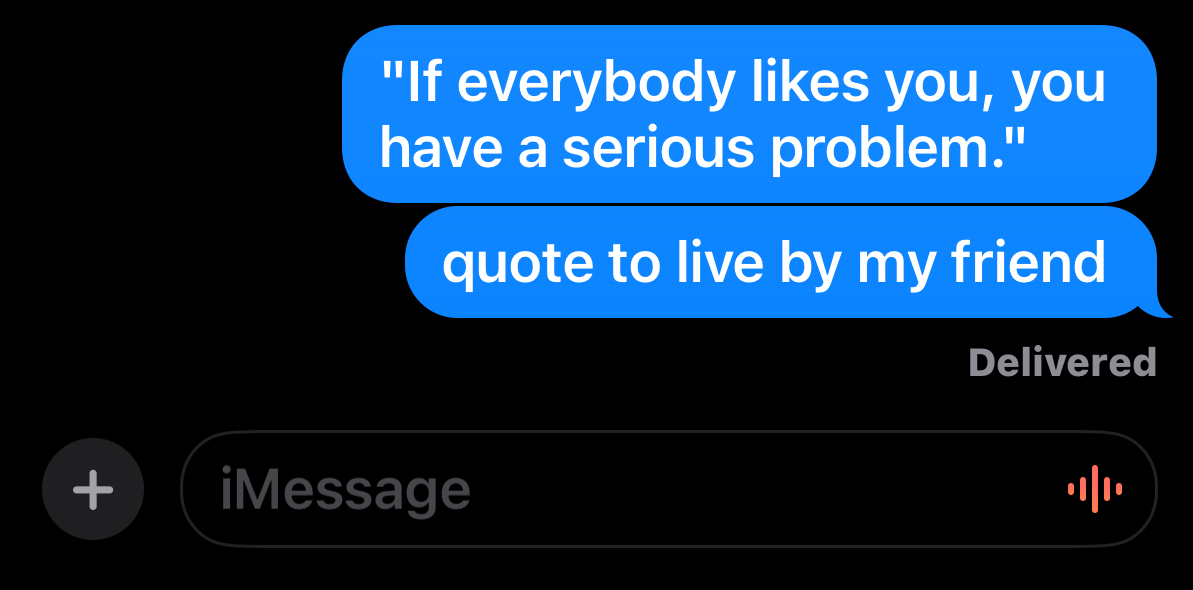
Sends a Headline about new Cancer medicine to his sister with Leukemia he found on Facebook.
Sends a 3-leg parlay bet he got from an X post.
Sends a headline from Google about the company he works for.
How It Works
- Text Highlights: Select text anywhere → Right-click → 🚀 Friend-Send
- Web Images: Copy image from X/Safari → Cmd+Shift+X.
- Ecosystem Bridge: Send images via text from your iPhone while staying on your MacBook.
Setup Instructions
01. Import: Double-click your downloaded .shortcut file.
02. Configure: Fill in your "Friend Circle" slots during the installation pop-up.
03. Enable: Go to System Settings > Keyboard Shortcuts > Services and check "Friend-Send".
04. Hotkey: Set your global hotkey to Cmd+Shift+X for web images.
Choose Your Pack
Standard_v1
# Core Circle
- • 4 Contact Slots
- • Right-Click Integration
- • Clipboard Image Logic
Pro_Upgrade
# Power User
- • 10 Contact Slots
- • Everything in Standard_v1
- • Pro Support via @SaaSTrash
@SaaSTrash:~$ ./launch --success